Most of the projects I work include certificates in some form or fashion. Often the Certificate Authority is something that someone set up once for a specific purpose and forgot about it. When I ask, they can’t tell me which server is their CA. There are a couple of ways to locate the Certificate Authority(ies) in your Active Directory environment.

- Check the members of the Cert Publishers group in AD. This is a built in group in Active Directory.
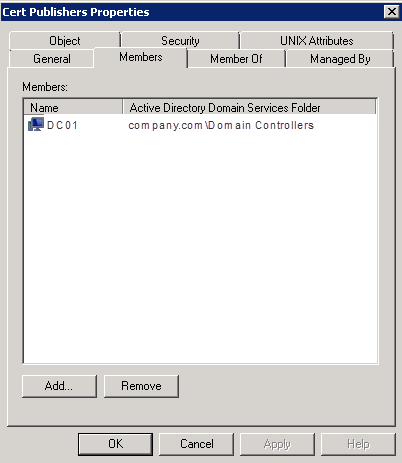
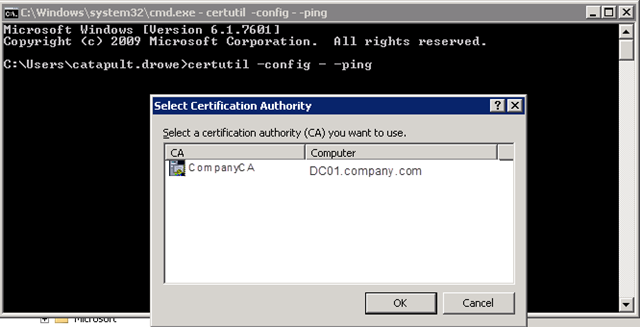
- Use the certutil utility from a cmd prompt to determine the CA name and the server hosting the service. This utility is available on newer Windows OSes (I’ve only tried on Windows 2008 R2). This command is particularly useful because it tells you the CA name as well as the server hosting it. The Cert Publishers group will only tell you the server hosting the service. (Thanks to Greig in Sydney for this find.)
certutil –config – -ping